Log In
If you do not already have the URL for your GivingData site, reach out to your site administrator. Typically, the URL will be <organizationname>.givingdata.com
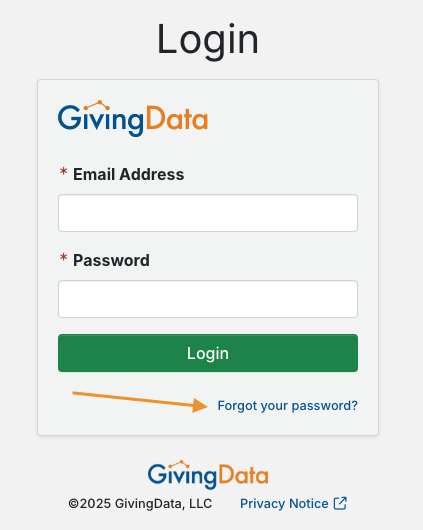
If you do not remember your password, click Forgot your password? And follow the emailed instructions to reset it.
If your foundation is using a third-party user authentication process, you may be asked for your network credentials to re-authenticate.
Home Page
After logging in, you land on the home page. Depending upon site settings, the widgets visible on this page can be customized. 
The quick navigation menu at the top of the page allows you to navigate to the most commonly used features in GivingData. 
Add a Record
Click the plus sign icon in the quick navigation menu to add a new record, such as an organization, request, or contact.
Search
Use the quick search bar to easily locate and navigate to a record or other item, such as an organization, request, task, or document. 
Click the magnifying glass icon in the quick navigation menu to run a super search. A super search allows you to search based on one or more filters. 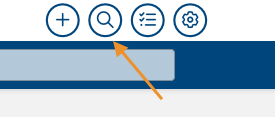
Tasks
Click the checklist icon to access the My Tasks modal. This allows you to view and manage any tasks assigned to you.

Admin Tools & Settings
Click the gear icon in the quick navigation menu to access Admin Tools & Settings. Depending upon site permissions, this icon might not be visible to you. Admin Tools & Settings contains configuration options for the site and is where items such as grantee portal intake forms and document templates are built and edited.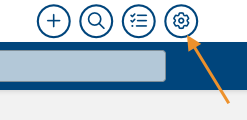
Notes
Click your name in the upper navigation bar, and then click Notes to access the My Notes modal. This is an area to type notes, reminders, and to-dos for yourself. These notes are private to you.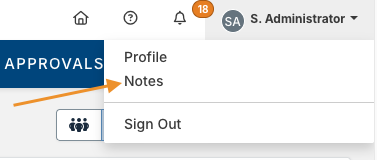
Notifications
Click the bell icon in the upper navigation bar to access your site notifications. 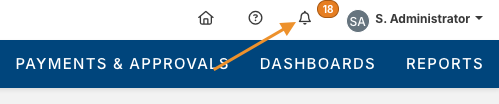
Resources
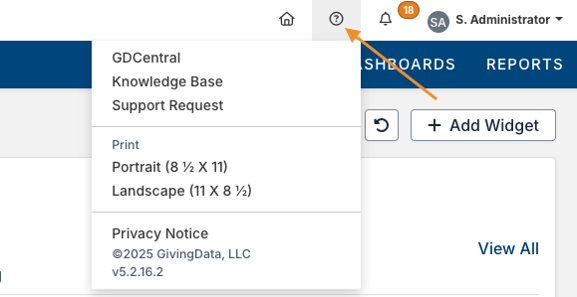
Click the question mark icon in the upper navigation bar to access additional resources. This includes the following:
- GDCentral – Access GivingData’s community and central location for resources, allowing you to connect with other users and learn more about the system.
- Knowledge Base – Access the home page for GivingData’s article library.
- Support Request – Submit a ticket to GivingData’s Support team.
- Print – Print the current page in either a portrait or landscape format.
- Site Version – View your GivingData site’s software version number. This is helpful for keeping track of which updates and bug fixes are available based on the release notes.